A calm Home
Clock, date, favourites and folders. No feed, recommendations or attention-grabbing icons.

Minus replaces the Android home screen with a clear clock, a short list of favourites and a searchable app drawer.
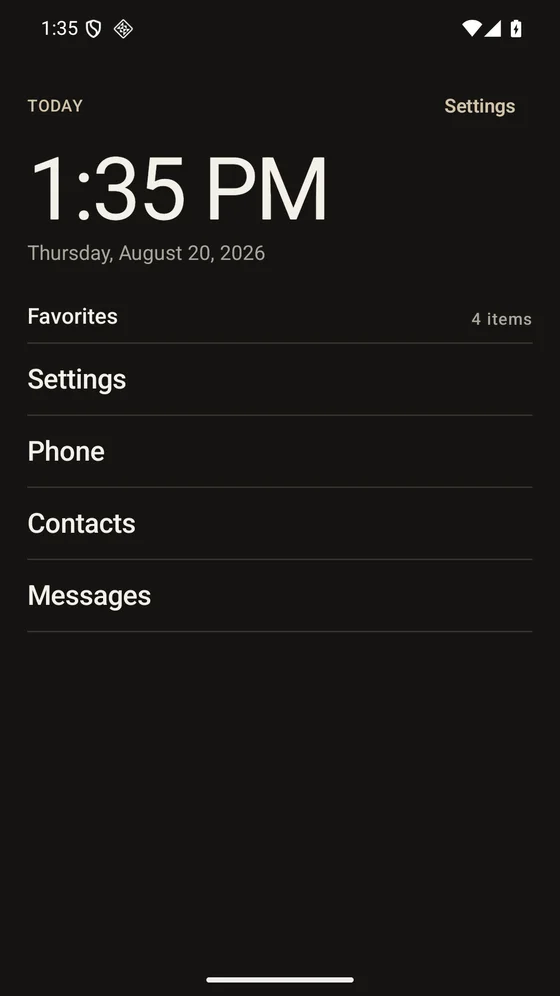
Clock, date, favourites and folders. No feed, recommendations or attention-grabbing icons.
Search every launchable app, use the bottom button or open the drawer with a left swipe.
Choose from four built-in themes or create your own. Adjust type, colours, spacing and more.
Use local usage summaries, schedules, temporary blocks and daily limits when you want them.
Minus has no account, analytics, tracking SDKs or Internet permission. Installed-app information, settings, focus rules and optional usage summaries stay on your phone.
Usage Access and Accessibility are requested only for optional features. The core launcher works without either.
Read the privacy policyYes. Open Minus settings and choose Home app in the System section. Android will let you select your previous launcher.
Your apps and their data stay where they are. Minus changes your home screen. Hiding an app only removes it from view inside Minus.
Only if you choose strict app blocking. Minus explains what the service accesses and asks for your consent before opening Android settings. The home screen and app search work without it.
Minus works on Android 8.0 and newer. The app is available in English, Spanish, French, German and Italian. It is an Android launcher; there is no iPhone version.